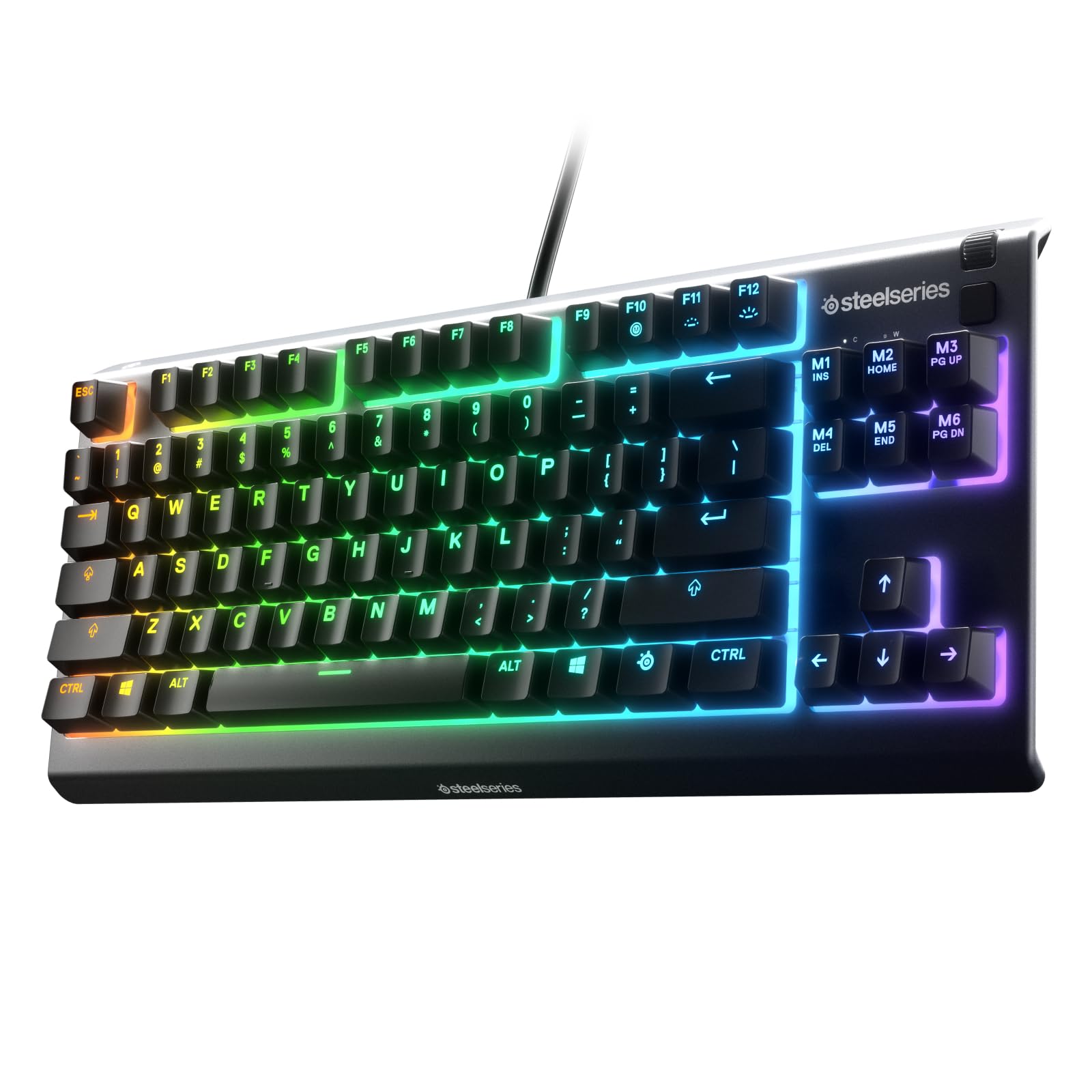
The SteelSeries Apex 3 TKL RGB Gaming Keyboard review is for players who want a smaller desktop footprint without giving up dedicated media controls or customizable lighting.
Its tenkeyless layout, quiet switches, and spill-resistant design make it a practical fit for everyday gaming and typing.
Apex 3 TKL Review Summary
The quick verdict
2,000+ ratings
Read Amazon ReviewsSteelSeries Apex 3 TKL
A compact wired gaming keyboard for players who want quiet switches, customizable RGB lighting, and dedicated media controls without a number pad.
- Tenkeyless compact layout removes the number pad to reduce the keyboard's footprint.
- Whisper quiet gaming switches are designed for near-silent use and rated for more than 20 million keypresses.
- Anti-ghosting technology is intended to support accurate input when multiple keys are pressed.
- Eight-zone RGB illumination supports color choices and effects through PrismSync.

Pros
- Compact layout can free up desk space and make mouse placement easier.
- Quiet switch design is well suited to shared spaces and everyday typing.
Consider before buying
- The tenkeyless layout has no dedicated number pad, which may slow data entry for buyers who frequently work with numeric input.
- Eight-zone lighting provides zone-based customization; buyers seeking per-key RGB effects should check whether that distinction fits their preferences.
Read the full review summary
The Apex 3 TKL keeps the familiar essentials of a full-size gaming keyboard while removing the number pad.
That leaves more room to position a mouse and can make a crowded desk feel less constrained, while the dedicated volume roller and media keys keep common adjustments within reach.
Its feature set emphasizes quiet operation, configurable RGB effects, and everyday durability rather than advanced switch customization.
It suits players who value a straightforward keyboard for gaming and general computer use, especially where a quieter keystroke and a compact layout matter.
The buying factors
Apex 3 TKL Scorecard
Editorial scores reflect listed features and buyer fit; they are not laboratory measurements or customer ratings.
Desk footprint
The tenkeyless layout omits the number pad, leaving more room for mouse placement and other desk items.
Typing noise
The switches are designed for near-silent use, a useful quality for shared rooms or late sessions.
Lighting flexibility
Eight-zone RGB and PrismSync offer color and effect choices, though lighting is divided into zones rather than described as individually addressable keys.
Convenience controls
A clickable volume roller and media keys handle common playback and brightness adjustments without relying on software menus.
Everyday resilience
IP32 water and dust resistance offers a degree of protection for minor everyday exposure, but does not make the keyboard waterproof.
Gaming features
Anti-ghosting supports accurate multi-key input, while the design remains focused on core gaming functions rather than extensive switch tuning.
Key Features and Specifications of Apex 3 TKL
- Tenkeyless compact layout removes the number pad to reduce the keyboard's footprint.
- Whisper quiet gaming switches are designed for near-silent use and rated for more than 20 million keypresses.
- Anti-ghosting technology is intended to support accurate input when multiple keys are pressed.
- Eight-zone RGB illumination supports color choices and effects through PrismSync.
- IP32 water and dust resistance is designed to help protect against some liquid and dust exposure.
- Dedicated controls include a clickable volume roller and media keys for playback and brightness adjustments.
- Compatibility is listed for Windows, Mac OS X, Xbox Series S and X, PS4, and PS5.
Pros and Cons of Apex 3 TKL
Pros
- Compact layout can free up desk space and make mouse placement easier.
- Quiet switch design is well suited to shared spaces and everyday typing.
- Built-in volume and media controls make routine adjustments convenient.
- RGB effects and color choices provide lighting customization without requiring a full-size layout.
Consider before buying
- The tenkeyless layout has no dedicated number pad, which may slow data entry for buyers who frequently work with numeric input.
- Eight-zone lighting provides zone-based customization; buyers seeking per-key RGB effects should check whether that distinction fits their preferences.
- IP32 resistance is limited protection, so buyers should still keep liquids away from the keyboard.
Who Should Buy Apex 3 TKL?
Good fit
Consider the Apex 3 TKL if you want a compact keyboard for gaming and daily computer use, and prefer quieter switches over a louder, more traditional typing sound.
The omitted number pad can leave additional room for mouse movement, while the dedicated roller and media keys keep common controls accessible.
It is also a sensible choice if you want RGB lighting and basic spill and dust resistance without making advanced switch adjustment the centerpiece of your setup.
Check that the listed platform compatibility covers the device you plan to use, particularly if you rely on a specific console connection or operating system.
Who should skip it
Skip it if you regularly enter figures with a dedicated number pad or want a full-size layout for work and gaming. The compact format makes that tradeoff by design.
Look elsewhere if adjustable actuation, rapid-trigger features, or extensive per-key customization are priorities. This model focuses on quieter switches, zone-based RGB, and straightforward controls.
SteelSeries Apex 3 TKL: What the Compact Design Means
A smaller footprint with a practical tradeoff
Removing the number pad shortens the keyboard and may make it easier to position a mouse closer or leave more open desk space.
That can suit gaming setups, but it changes the layout for anyone accustomed to numeric entry. Consider how often you use a number pad before choosing a tenkeyless board.
Quiet switches for mixed-use spaces
The low-friction switches are designed for near-silent use and are rated for more than 20 million keypresses. That makes the keyboard appealing for gaming and typing where louder keystrokes would be distracting.
The quiet design is a clear preference rather than a performance guarantee, so buyers should consider whether they like a softer sound and feel.
Lighting and controls remain easy to reach
Eight-zone RGB provides color and effect options through PrismSync, giving the keyboard visual customization without changing its core layout.
A clickable volume roller and media keys add a separate convenience benefit: common playback and brightness adjustments stay available at the keyboard.
Treat resistance as a buffer, not permission to spill
The IP32 rating indicates a measure of water and dust resistance intended to help prevent damage from some exposure. It does not remove the need to keep drinks away or clean the keyboard carefully.
Anti-ghosting adds a gaming-focused input feature, while the overall package stays centered on reliable basics.
Alternatives to Apex 3 TKL
Computer Keyboards alternative
8,000+ ratings
Read Amazon ReviewsSteelSeries Apex 3 RGB Gaming Keyboard
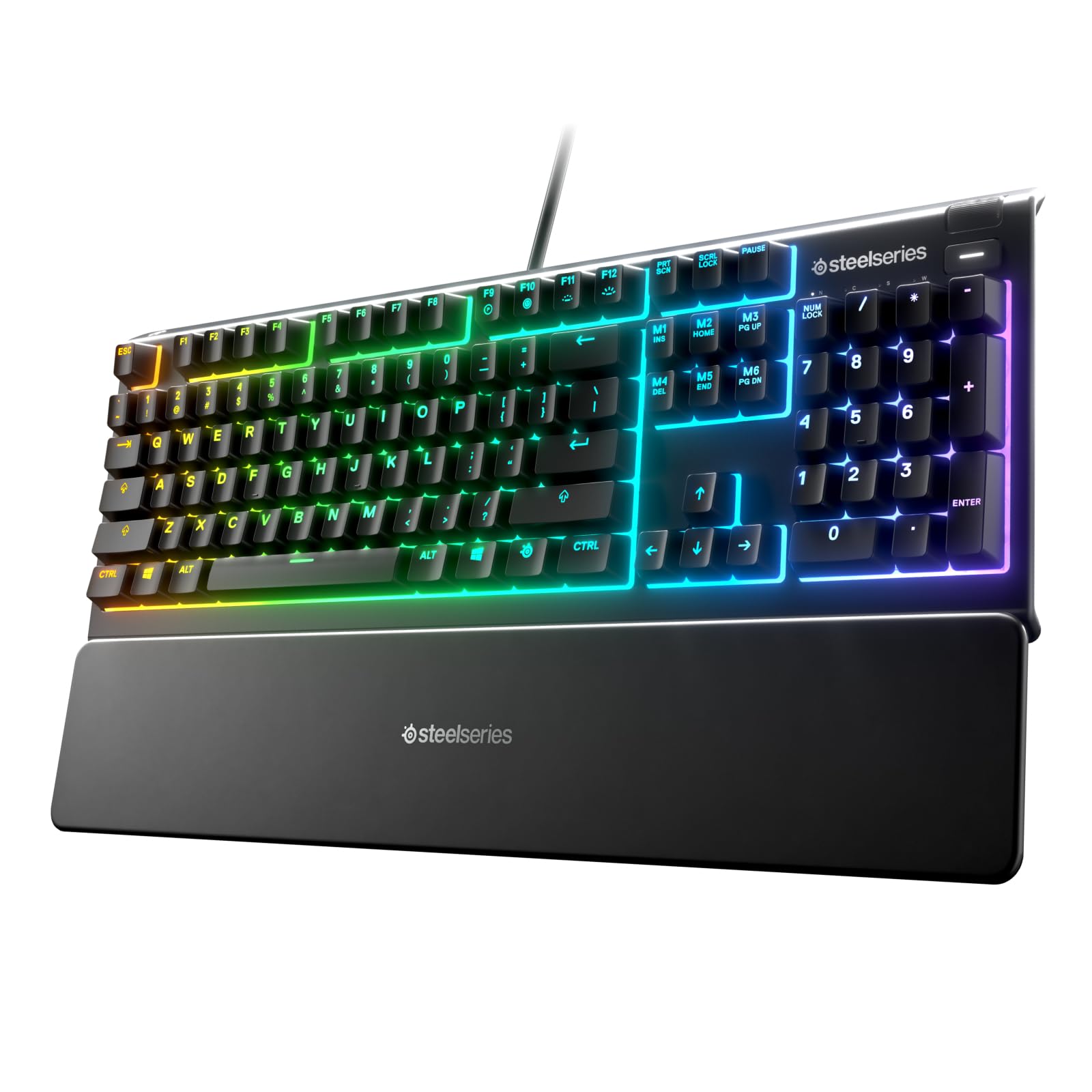
Choose the Apex 3 if you want a number pad and magnetic wrist support and can spare the extra desk width. The TKL is the better fit when a smaller footprint is the priority.
- The full-size Apex 3 includes a number pad, ten-zone RGB, quiet switches, and a magnetic wrist rest.
- Its listed compatibility also covers Windows, Mac OS X, Xbox Series S and X, PS4, and PS5.
- The Apex 3 TKL combines a compact tenkeyless layout with eight-zone RGB, quiet switches, and dedicated media controls.
Computer Keyboards alternative
500+ ratings
Read Amazon ReviewsSteelSeries Apex Pro TKL Gen 3
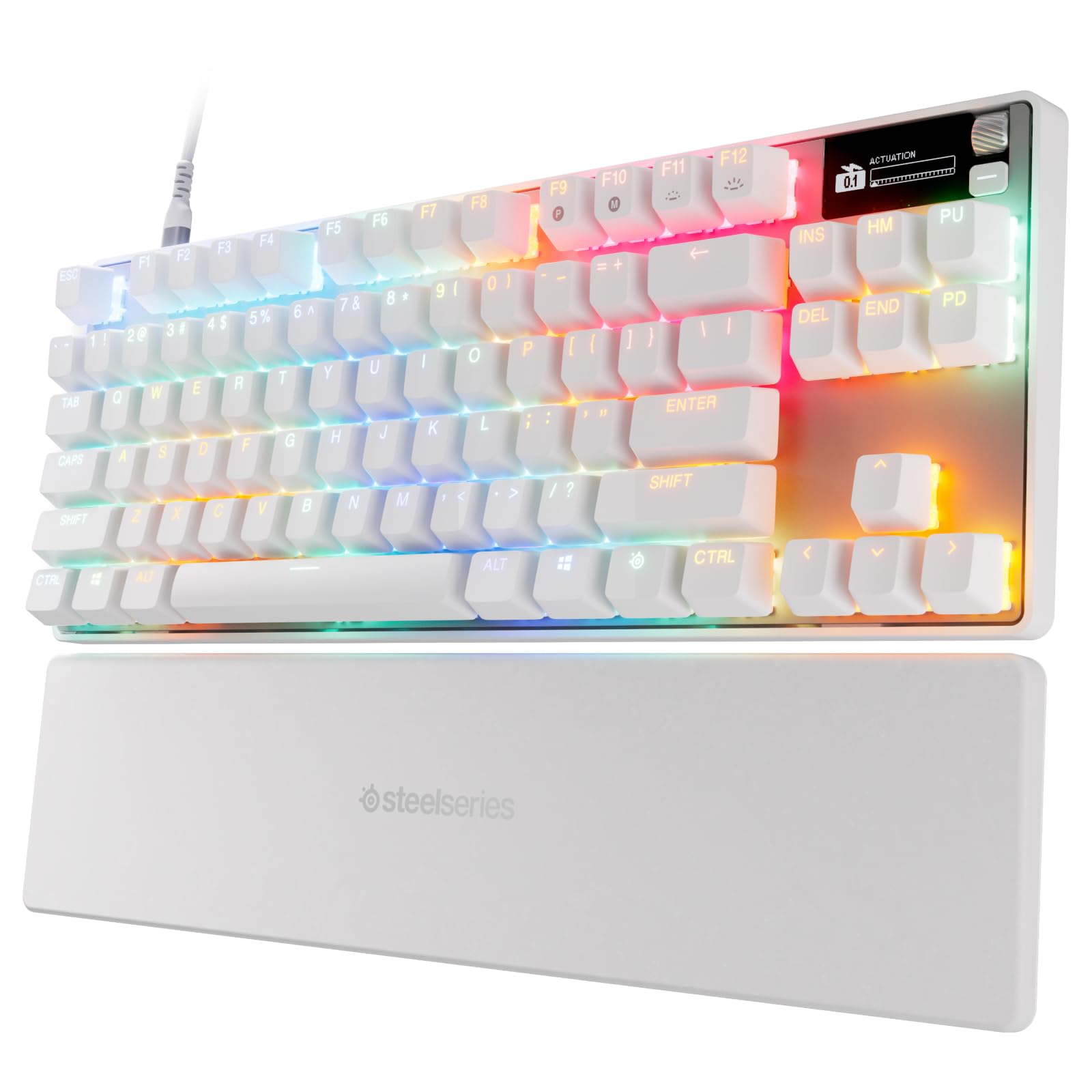
Consider the Apex Pro TKL Gen 3 if adjustable actuation and its listed rapid-input features matter more than a simpler, quiet-switch design.
The Apex 3 TKL is the more straightforward choice for buyers who do not need those advanced controls.
- The Apex Pro TKL Gen 3 features OmniPoint 3.0 magnetic switches with 40 actuation levels from 0.1 mm to 4.0 mm, Rapid Trigger, Rapid Tap, Protection Mode, an OLED display, and PBT keycaps.
- The Apex 3 TKL is built around quiet switches, eight-zone RGB, anti-ghosting, and direct media controls.
Is Apex 3 TKL Worth It?
The SteelSeries Apex 3 TKL is worth considering if your priorities are a smaller layout, quieter switches, RGB lighting, and convenient media controls.
Anti-ghosting and IP32 resistance round out a practical feature set for everyday gaming and computer use.
Choose it with the layout tradeoff in mind: there is no dedicated number pad, and its lighting and switch features are oriented toward uncomplicated use rather than extensive customization.
If that matches your desk and routine, the Apex 3 TKL offers a focused, compact option.
Your review at a glance
2,000+ ratings
Read Amazon ReviewsSteelSeries Apex 3 TKL
A compact wired gaming keyboard for players who want quiet switches, customizable RGB lighting, and dedicated media controls without a number pad.
- Tenkeyless compact layout removes the number pad to reduce the keyboard's footprint.
- Whisper quiet gaming switches are designed for near-silent use and rated for more than 20 million keypresses.
- Anti-ghosting technology is intended to support accurate input when multiple keys are pressed.
- Eight-zone RGB illumination supports color choices and effects through PrismSync.